Paul Morello
A product catalog is the structured, complete record of every product a business sells: identifiers, names, descriptions, attributes, images, prices, and availability, organized so that people and systems can find and use them. In ecommerce it’s not a PDF you print once a year — it’s the living database that feeds your store, your marketplaces, your ads, and increasingly the AI assistants your customers shop with. After fifteen years of watching catalogs make or break channel launches, I can put it bluntly: the catalog is the product, as far as every sales channel is concerned. This guide covers what belongs in one, how catalog management actually works, the catalog-vs-feed-vs-PIM distinction that confuses everyone, and how to build a catalog that scales past your first hundred SKUs.
In this guide
- What is a product catalog?
- What goes into a product catalog
- Catalog vs product feed vs PIM
- Product catalog management: the real work
- How to build one that scales (6 steps)
- Product catalog examples worth copying
- Distributing your catalog to channels
- Frequently asked questions
What is a product catalog?
A product catalog is the single, organized source of truth for your product information. For a shopper it surfaces as browsable pages; for your systems it’s structured data — one record per product and variant, with consistent fields. B2C stores use it to power search and product pages; B2B and wholesale catalogs add another layer: account-specific pricing, minimum order quantities, and spec sheets a buyer can hand to procurement.
The word still carries its paper heritage — plenty of businesses design printed or PDF catalogs for trade shows and wholesale buyers, and that use is alive and well. But when ecommerce people say “catalog” they mean the database, and that’s the sense that decides whether your products can sell on more than one channel without chaos.
What goes into a product catalog
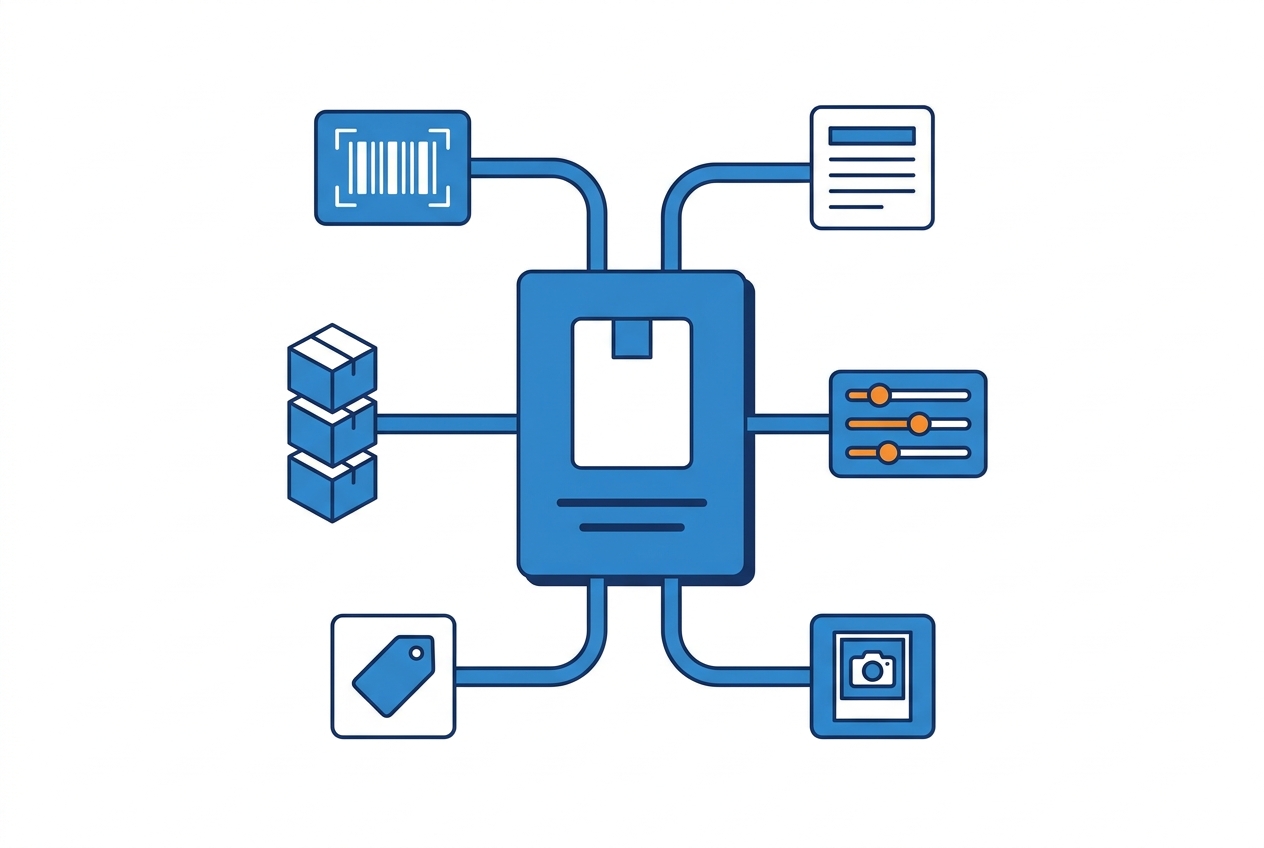
A catalog that holds up across channels carries, per product and per variant:
Two of these blocks cause most real-world failures: identifiers and attributes. If your GTINs are recycled or missing, channels reject or misfile your products — our guide to product identifiers covers how to get them right. And thin attributes don’t error out; they just quietly lose you filter placements and AI recommendations, which is worse because nobody notices.
Catalog vs product feed vs PIM
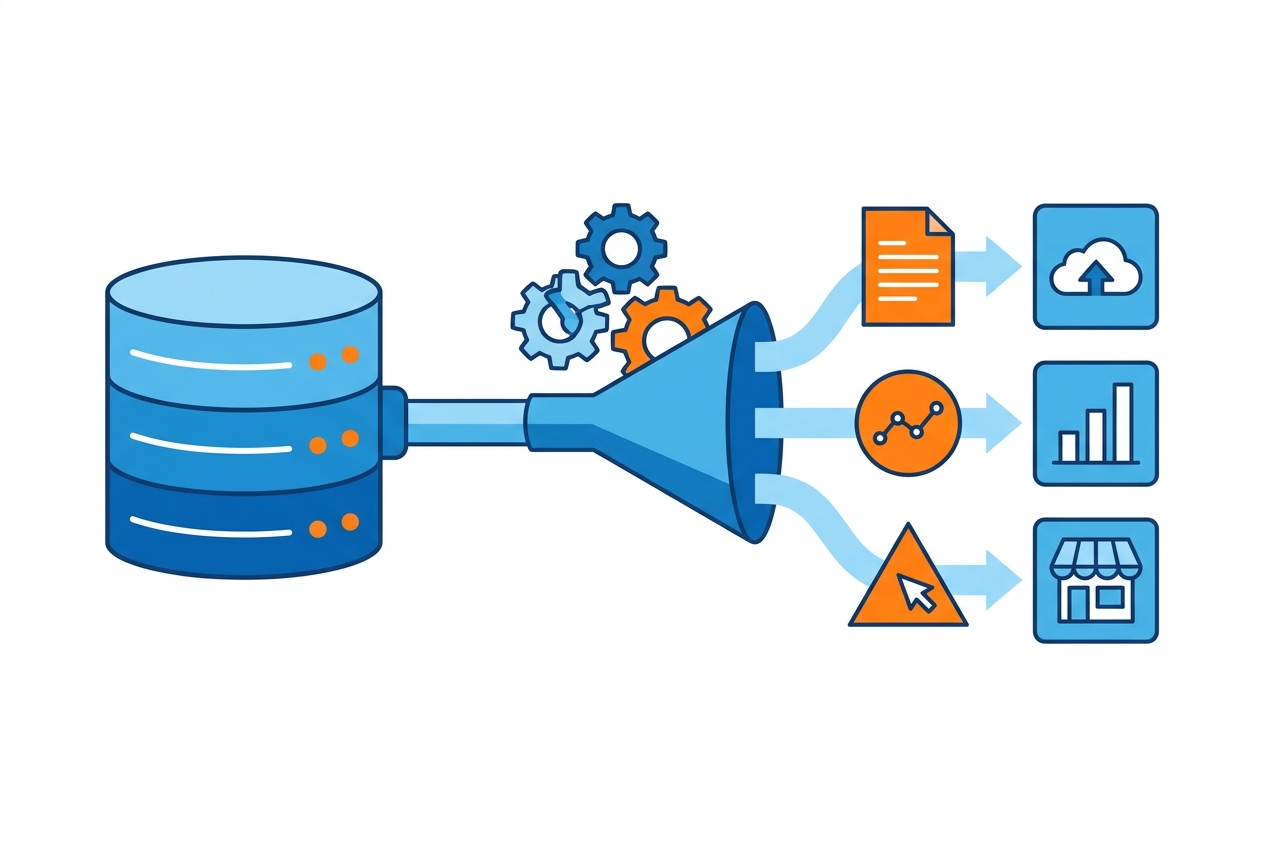
Three terms, one supply chain of product data:
The confusion usually runs one way: people treat the feed as the catalog. It isn’t — a feed is a projection: Google Shopping wants one column set, Meta another, a marketplace a third. When the catalog is clean, generating each feed is mechanical; when it isn’t, every channel launch becomes a bespoke spreadsheet project. Small stores can live without dedicated product catalog software (the platform’s catalog plus discipline is enough); once multiple people edit thousands of SKUs across markets, PIM-grade governance starts paying for itself.
Product catalog management: the real work
Product catalog management is the ongoing process that keeps the record accurate, complete, and consistent as products, prices, and channels change. In practice it’s four disciplines:
- Data quality. Validation rules that catch the classics before a channel does: missing GTINs, empty attributes, image URLs that 404, prices of 0.
- Enrichment. Raising records from “supplier CSV” to “sellable”: better titles, complete attributes, richer media. This is its own craft — see our guide to product data enrichment.
- Governance. Who may edit what, in which system, with which review. One owner per field beats three owners per product.
- Freshness. Scheduled syncs for price and stock — the two fields that go stale fastest and hurt most when they do.
A useful operating metric: time-to-channel — how long from “new product in the catalog” to “correctly listed on every channel you sell on.” Mature catalogs measure it in minutes; spreadsheet-driven ones measure it in weeks.

How to build one that scales (6 steps)
- Choose the system of record. Your ecommerce platform’s catalog is fine to start; the decision that matters is that there is exactly one place where product truth lives.
- Define the schema. List required fields per category — identifiers, attributes, media minimums — and make them mandatory at entry, not optional forever.
- Standardize identifiers first. Legitimate GTINs and consistent SKU logic pay off at every downstream step.
- Structure categories around how buyers shop, not around your org chart or supplier list — categories become navigation and channel taxonomy mappings.
- Load, dedupe, enrich. Import supplier data, merge duplicates ruthlessly (one product, one record, variants underneath), then enrich to your schema.
- Automate the exits. Connect the catalog to channels via feeds and APIs so updates propagate without manual exports.
Product catalog examples worth copying
Patterns from catalogs that work, across formats:
- DTC ecommerce: variant-first records (one parent, all sizes/colors underneath), attribute-complete so filters and search work — the model your store platform assumes.
- B2B/wholesale: a portal or PDF price-list hybrid with account pricing tiers, MOQs, and technical specs — plus the same structured backbone so the sales team’s catalog never drifts from the website’s.
- Marketplace sellers: a master catalog richer than any single channel needs, projected down to each marketplace’s template — never the reverse.
- Print/trade-show: generated from the database (tools exist for exactly this), so the paper version is a snapshot, not a fork.
Distributing your catalog to channels
A catalog earns its keep when it travels. Each channel — Google Shopping, Meta, marketplaces, comparison engines, retail media — expects its own format, attribute names, and update cadence, and that translation layer is product feed management: one clean catalog in, correctly formatted feeds out to every channel, with prices and stock synced on schedule. The catalog of supported destinations is long — browse the feed channel directory to see the formats each one expects — but the principle is short: fix data once, at the source, and let the feeds inherit the fix.
Frequently asked questions
What is a product catalog?
A product catalog is the organized, complete record of the products a business sells — identifiers, descriptions, attributes, images, prices, and availability — structured so both customers and systems (store, marketplaces, ads) can use it. It can surface as a website, a feed, or a printed piece, but the underlying database is the catalog.
What is product catalog management?
The ongoing process of keeping that record accurate and complete: validating data quality, enriching product content, governing who edits what, and keeping prices and stock fresh across every channel the catalog feeds.
What’s the difference between a product catalog and a product feed?
The catalog is the source of truth; a feed is a channel-specific export of it. You have one catalog and many feeds — one per channel, each formatted to that channel’s specification.
Do I need a PIM for my product catalog?
Not at first. A small catalog managed in your ecommerce platform with strict data discipline works fine. PIM software earns its cost when several people maintain thousands of SKUs across languages or markets and governance breaks down without it.